AI · Mobile · 0→1 · Featured
I designed the experience around Gen-AI photo inspiration: 0→1 in 4 weeks
LOOKR generates photo inspiration in real time as you shoot. I led design and research to turn it into a product: from a blank brief to a mobile app.
0→1
blank brief to investor-ready prototype
4 wks
full sprint · my first time leading
72%
user satisfaction
ROLE
Design lead + de facto PM
(Internship)
year
2023
team
2 designers + CEO
platform
iOS
What I owned: the roadmap and meeting cadence, the full user research, the aesthetic direction and UI style guide, the UI design, and the UX pass that kept the team's screens consistent.

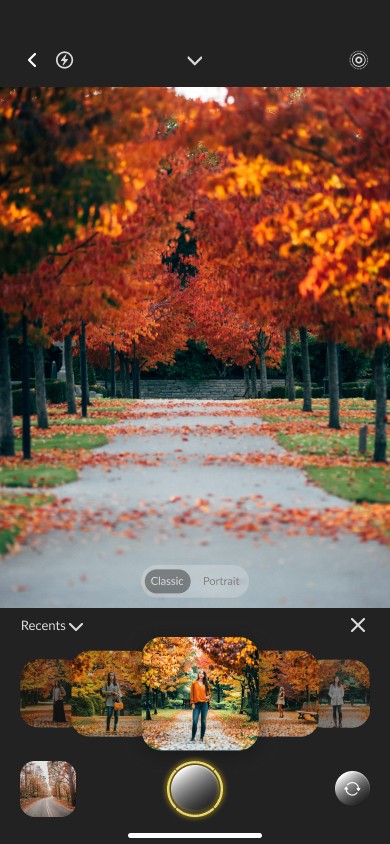
Creators find inspiration where they plan, not where they shoot
The founder's vision was specific:
ceo
Photographers and influencers had no way to get real-time, location-tailored photo inspiration at the moment they're shooting.
The workflow was broken in 4 steps:
The problem was never discovery. It was recall and application: inspiration was stranded at the planning stage, far from the moment it's needed.
My job: turn that vision into a product people could actually use.
5 days, no users: so I went and watched how creators actually work
No product meant no users to test. With the clock running, I led the research myself by studying 20+ videos and blogs of photographers and influencers shooting on location, plus a competitive analysis.
2 creator types emerged, and they worked differently:
Influencers replicate
reading location, light, and mood to find the right pose for a scene.
Photographers act like directors
pulling inspo from Pinterest and Instagram and trying to match it to their feed.
Different methods, identical need: the right pose and look for this location; they were all recalling it from memory at the worst moment, while shooting.
3 voices that drove the design:
@lexiluxury · influencer
"I experiment and take a variety of photos in the same location with different angles, backdrop, and poses."
→ compare photos + pose inspiration
@christineleeee · influencer
"Spend a lot of time on Instagram and Pinterest. Pull inspo, find a similar location, replicate the poses."
→ community inspiration + pin
@chris-orwig · photographer
Photographers direct the shoot — location, mood, and the right poses and lighting for each setting.
→ context-aware AI + tips
The competitive analysis made the gap obvious: each app solved one piece and left the same one open
Lemon 8
curated explore feed by category → informed community inspiration
pins + categorization → informed pin/save
Midjourney
AI image generation, but can't pin/save in-flow; extra steps to organize → the gap
where creators already save inspo → validated the behavior
None put AI generation, saving, and discovery in one place at the moment of shooting. That was Lookr's gap to fill.
The turn: 2 users who were really 1
I built 2 provisional personas: an influencer and a photographer. The obvious move was two design paths.
I argued against it
Splitting them would've doubled the work in a timeline that couldn't afford it.
So I merged them into 1 creator: Lexi, and the product got a single focus for the MVP.


Lexi's requested features became the product: "pin inspiration on screen while shooting," "real-time inspiration to emulate," "direct photography tips." Mapping her journey surfaced where the friction lived; a red-route analysis confirmed what mattered most.
5 features survived, each tied to something a real creator said:
Context-aware AI inspiration
Photograph your scene; AI generates inspiration/poses for that location.
from: @chris-orwig · Lexi's "real-time to emulate"
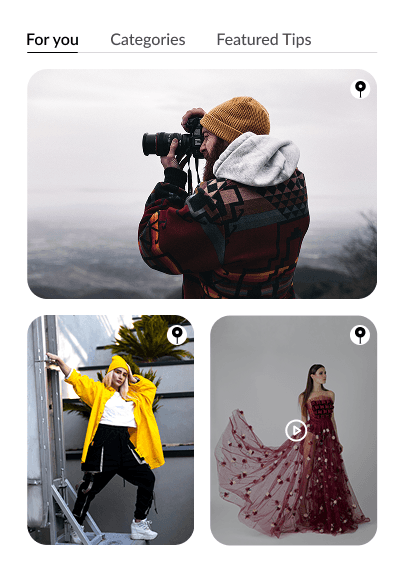
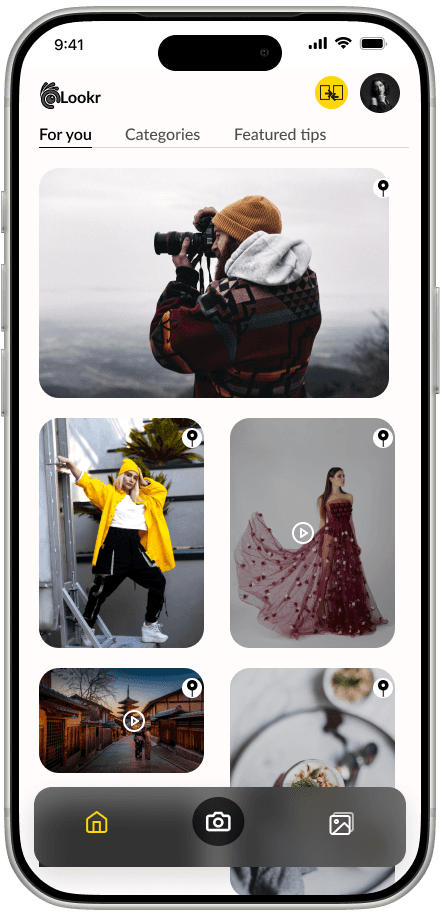
Community inspiration
Discover and save references in a curated feed.
from: @christineleeee · Lemon8/Pinterest
Pin + compare
Pin inspiration to shoot against; compare takes side-by-side.
from: @lexiluxury · "take a variety"
Posing + lighting tips
Quick tips on framing and light, by scene.
from: creators "recall from memory"
+ in-app library to keep shoots organized. Cut: search, social, filters — none solved the core moment.
The core interaction
The hardest problem: inspiration that helps you shoot, without blocking the shot
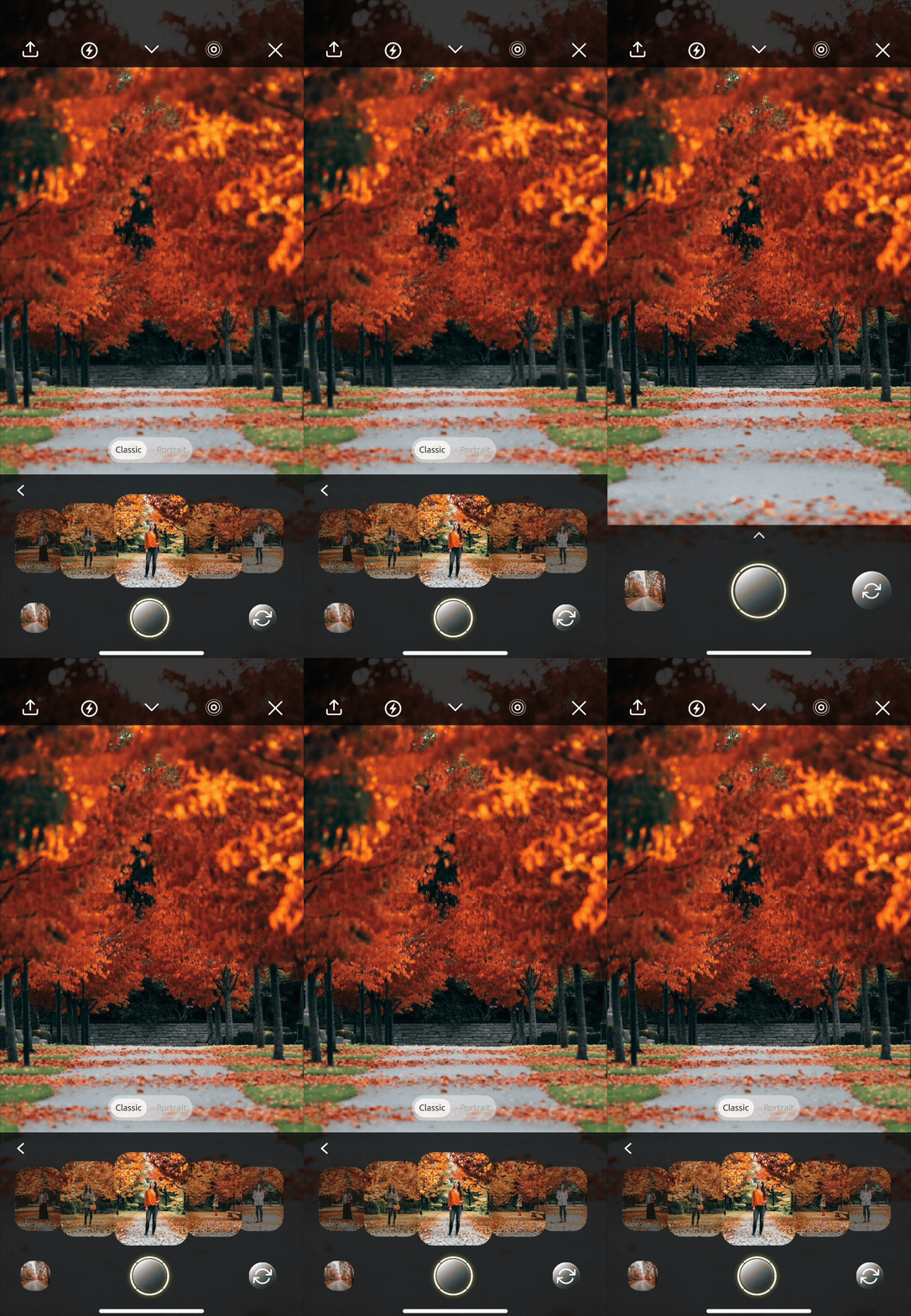
Our first instinct was to overlay AI inspiration on the live camera. We designed it, tested it, and it failed the same way every time:
Usability tester
"The inspiration is blocking my shot, I can't see what I'm framing."
The insight underneath: choosing inspiration and shooting with it are two different moments , forcing them onto one screen breaks both. So I split them into a loop:
01 · CAPTURE
Take a photo
Shoot your scene, the AI reads the location and light.
02 · CURATE
Inspiration loads → pin
Pose ideas for that scene appear; pin the ones you want.
03 · SHOOT
Back to camera
Pinned references show alongside the live frame: visible, not blocking.
Pinning is the hinge: it lets creators curate before they're back in the live frame, so only their chosen references are there when they shoot.
Before — inspiration over NATIVE CAMERA
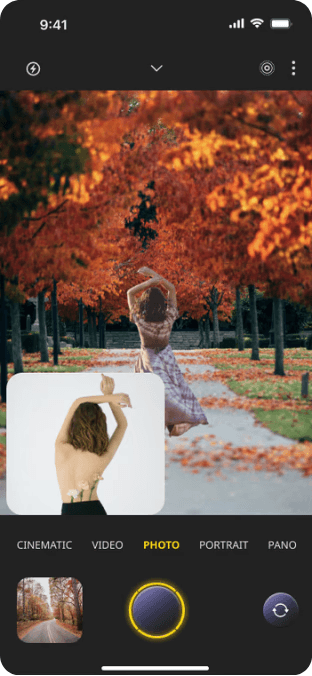

After — visible inspiration + ability to see shot
What testing changed
The 5-person usability test didn't just score the design, it reshaped it:
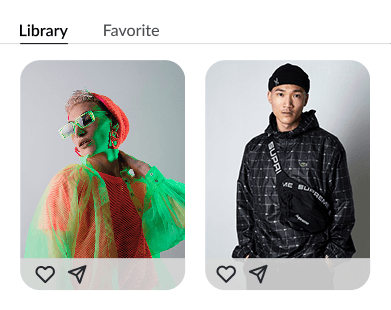
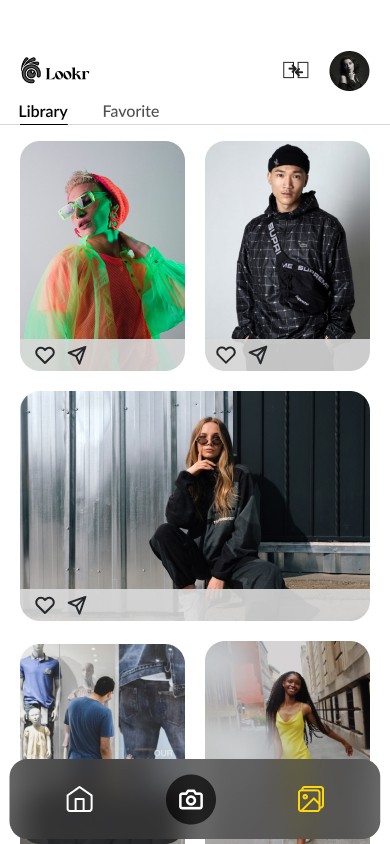
Added a gallery export
Users worried about storage, so I added an in-app gallery and export to keep their camera roll clean.
Removed extra step to reveal inspiration
Users hit friction revealing AI inspiration, so I cut the extra tap and streamlined capture → inspiration.
Removed search function
Too time-consuming to build, not a core value. We needed to make AI-inspiration the core, especially for this MVP.
From a clear vision to investor-ready in 4 weeks
• 72% user satisfaction across a 5-person usability test
• Creators naturally used all four core features without prompting.
• A UI style guide I built kept three people's work consistent under deadline.
• Founder validation and product pitched to stakeholder.
Next, post-MVP: letting creators post their own shots back to the community feed, closing the loop from inspiration to contribution.
Shoot with AI inspiration visible in real time
Compare photos
community inspiration
GALLERY

What I took from my real first 0→1
I came into LOOKR knowing how to design. I left knowing how to shape a product out of a vision.
I took a clear problem through research and hard scoping call. Then turned it into something people understood when they used it.
It was the first time I led: setting the roadmap, merging my team's separate sketch directions into one, and pushing back when the UX wasn't right. To me, moving fast didn't mean cutting corners. It meant being clear enough that speed was safe.

